Windows Defender Nuke Service
Windows Defender Nuke via a Service

Intro
If you have a need to disable defender but are unable to access the the machine while it’s in safe mode/need the ability to perform an unattended nuke (e.g remote VM on a VPS) then see below.
Requirements
- The user account must be called “admin” / a local administrator privileged account called “admin” must exist on the system
- The contents of the zip need to be placed within c:\temp\
- You need to have local admin rights on the machine (obvs)
Tested and confirmed fully working on Windows 11 Version 24H2 Build 26100.34 Tested and confirmed fully working on Windows 11 Version 24H2 Build 26100.3476
Instructions
- Download the zip
- Extract the contents to C:\temp\
- Run the vbs script ‘Defender Nuke Services.vbs”
- Let the system go into safe mode to do it’s thing
- The machine should reboot back into normal mode within a minute
- RDP back on the device with the new password set
- Reset the password back to whatever you want for admin:
net user admin <yourpassword>.
The vbs along with the custom binary will do the following:
- Removes the password on the account “admin”
- Creates a service using NSSM called “DefenderNukeService” using DefenderNukeServices.exe
- Adds a registry key entry to boot service in safe mode
- Sets the machine into safemode and reboots
- Once in safemode the service DefenderNukeService starts DefenderNukeServices.exe
- Defenders registry keys are modified
- Bootmode is set back to normal
- Reset the password on the account “admin” to hj7gdn@!x
- Removes the registry key entry for the service to start in safe mode
- Stops and deletes the service DefenderNukeServices
- Reboots the machine within 10 seconds
Github repo link
Checksum: 32414B626E4BED0A290CD86231F6D7537BB90EF9A70FC3896B0D9167948340A5
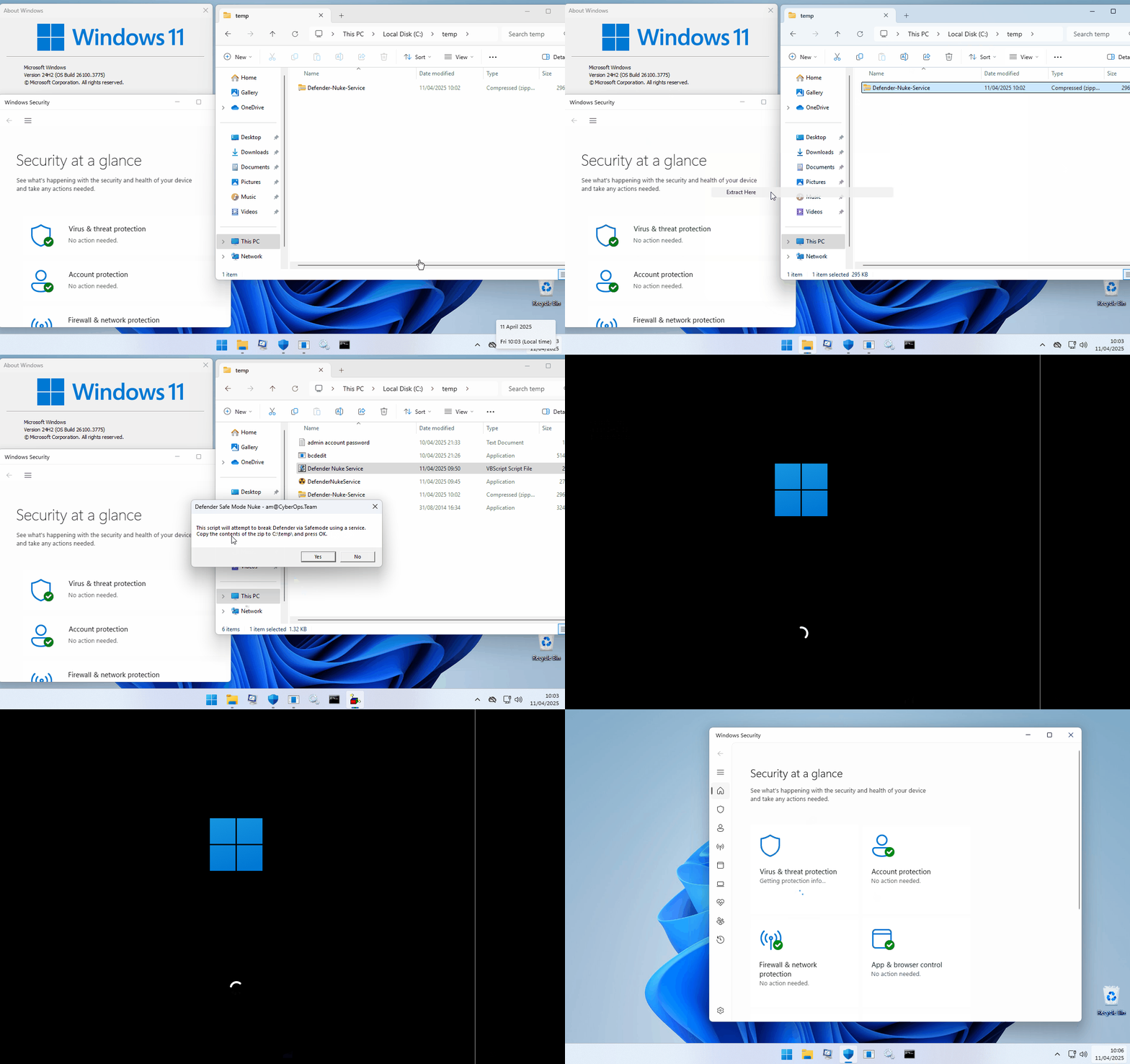
p.s you might be wondering why I’ve included a copy of bcdedit in the zip. There is a bug with win32 cmd trying to access the 64 bit app bcdedit and im too lazy and cba to fix.
I’ll add it to the to-do list along with optimising the whole process in an upcoming new tool 😊